Many names,
one meaning.
Open-source search that knows “ACL tear”, “MI” and “k8s” are names for something. A vocabulary people can see and fix, and every result explains why it matched.
See it work
Recorded from the real console on the bundled demo data. Nothing here is mocked.
“heart attack in patients over 60” finds rows that only say NSTEMI, filters on age, and says why.
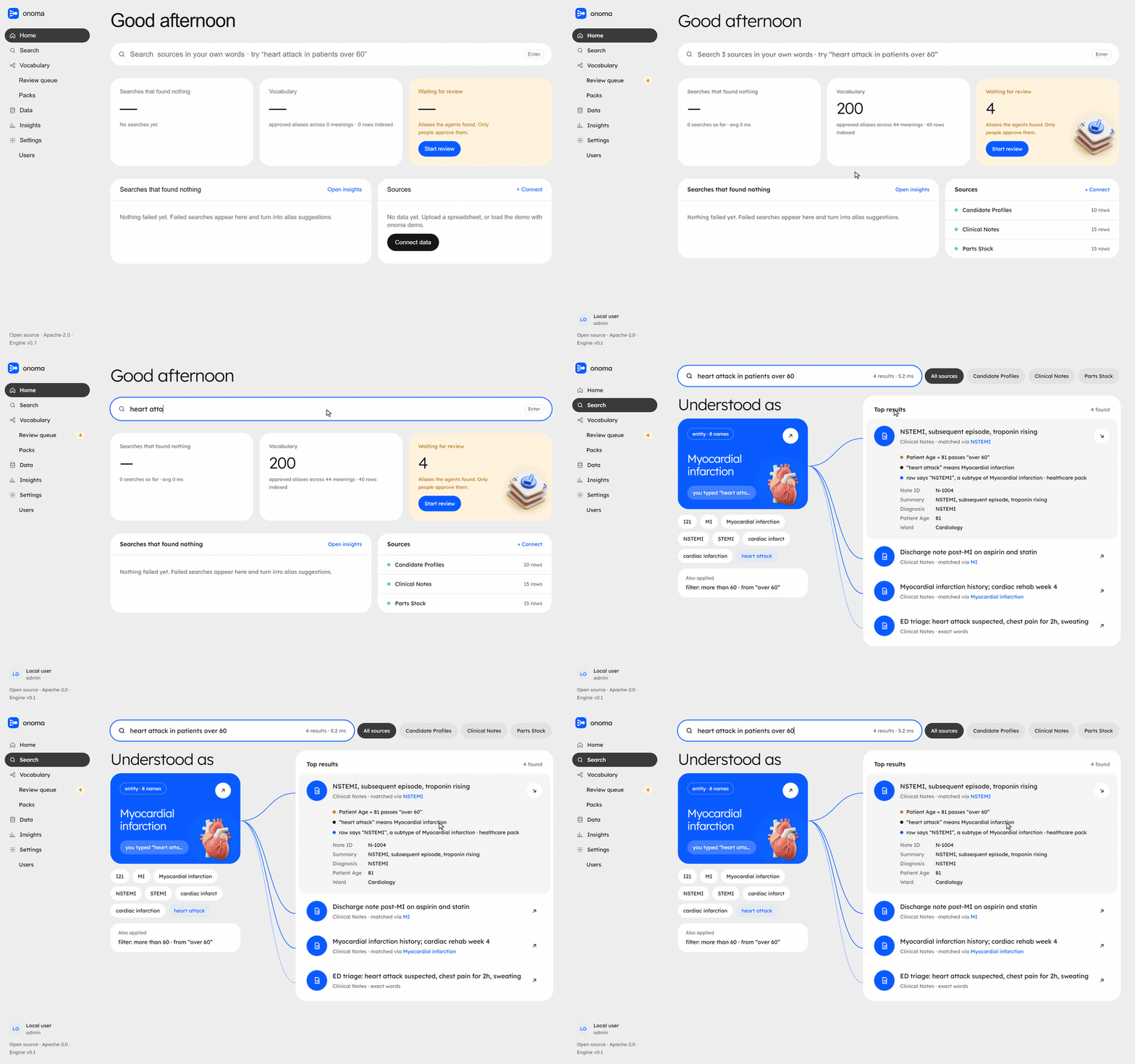
Tap to open full size
From messy files to search that explains itself
Four steps. Nothing goes live in the vocabulary until a person says yes.
Import
CSV, Excel or JSON. Schema Scout finds the title, vocabulary and number columns, and skips personal data.
Agents suggest
Alias Miner spots “k8s”, “ACL tear”, “HCl 35%”. Every suggestion carries its evidence.
People decide
Same thing, different, or only in one dataset. One key each, and every decision is audited.
Search, explained
In the console, over REST, or from any AI agent through MCP. Every hit says why it matched.
Built for the words your team actually uses
Every result says why it’s there
“ACL” is a ligament in clinic notes and an acid in the stock list
AI agents share the vocabulary
Three tools: search, resolve, suggest. Agents can propose names but never approve them.
nDCG@10 of 1.0
17 golden queries score every change, with a leak check. CI fails if quality drops.
Roles, SSO, audit log
Viewer, steward, admin. OIDC with any provider. Any model provider, or none at all.
Running in two minutes
Python 3.12+ and uv for the engine, Node 20+ for the console. Or docker compose up.
# engine
$ git clone https://github.com/mrigankad/onoma
$ cd onoma/engine && uv venv && uv pip install -e .
$ .venv/bin/onoma demo
$ .venv/bin/onoma search "heart attack over 60"
$ .venv/bin/onoma serve
# any MCP client
{ "mcpServers": { "onoma": {
    "command": "onoma",
    "args": ["--db", "onoma.db", "mcp"]
} } }